DESIGN FOR YOUR DECISION
day.weiss.press
One address for your day sheet, your reading, your schedules and agendas, your files and links, and a control panel on top. Every day sheet keeps its own dated page, day.weiss.press/OCT2326. The Scribe keeps getting its PDF. The weiss.press front page, the red period and the red dot do not change. Nothing on this page is built yet.
Already decided, from your words this evening: day.weiss.press is locked, you only. The Scheduler changes nothing; it drops the sheet in the same folder and the Dell takes it from there. The dated address is OCT2326, the same form as the Scribe PDF name.
THE SITE MAP
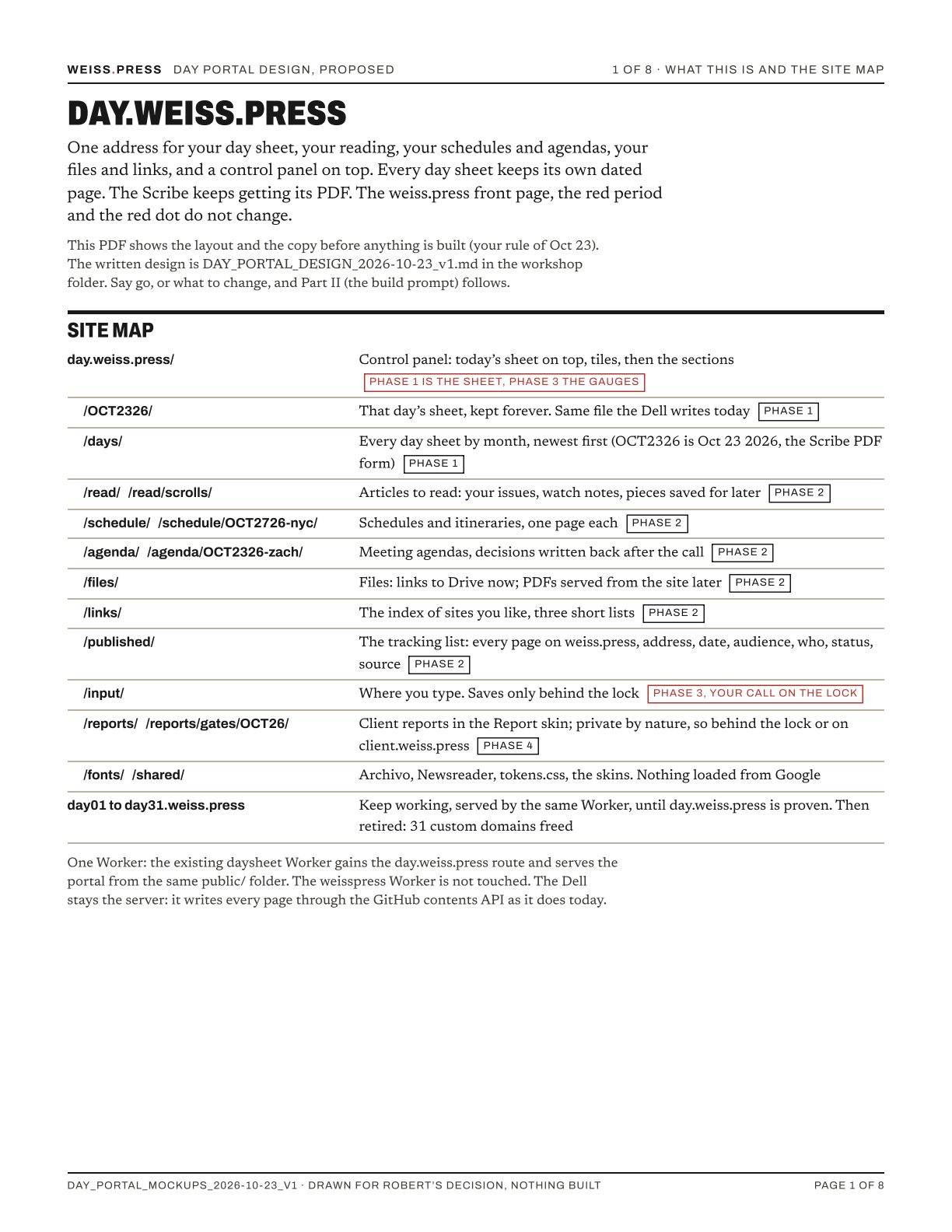
One Worker: the existing daysheet Worker gains the day.weiss.press route. The weisspress Worker is not touched. day01 to day31 keep working until the new address is proven, then they are retired and 31 custom domains come back.
PHONE
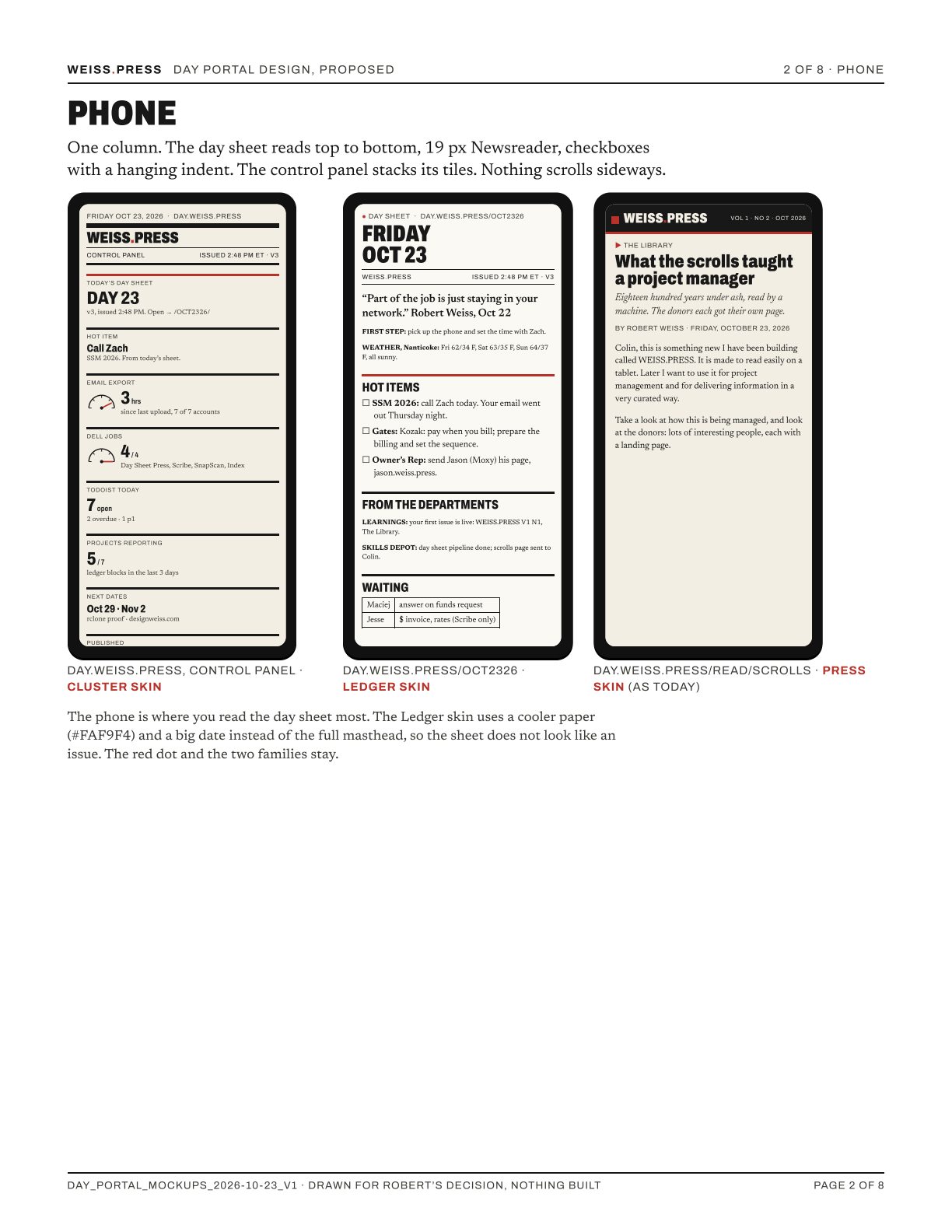
The phone is where you read the day sheet most. The Ledger skin uses a cooler paper and a big date instead of the full masthead, so the sheet does not look like an issue. That is the cure for design fatigue: the sheet you read at 7 AM and the article you read at 9 PM never share a masthead.
TABLET
DESKTOP
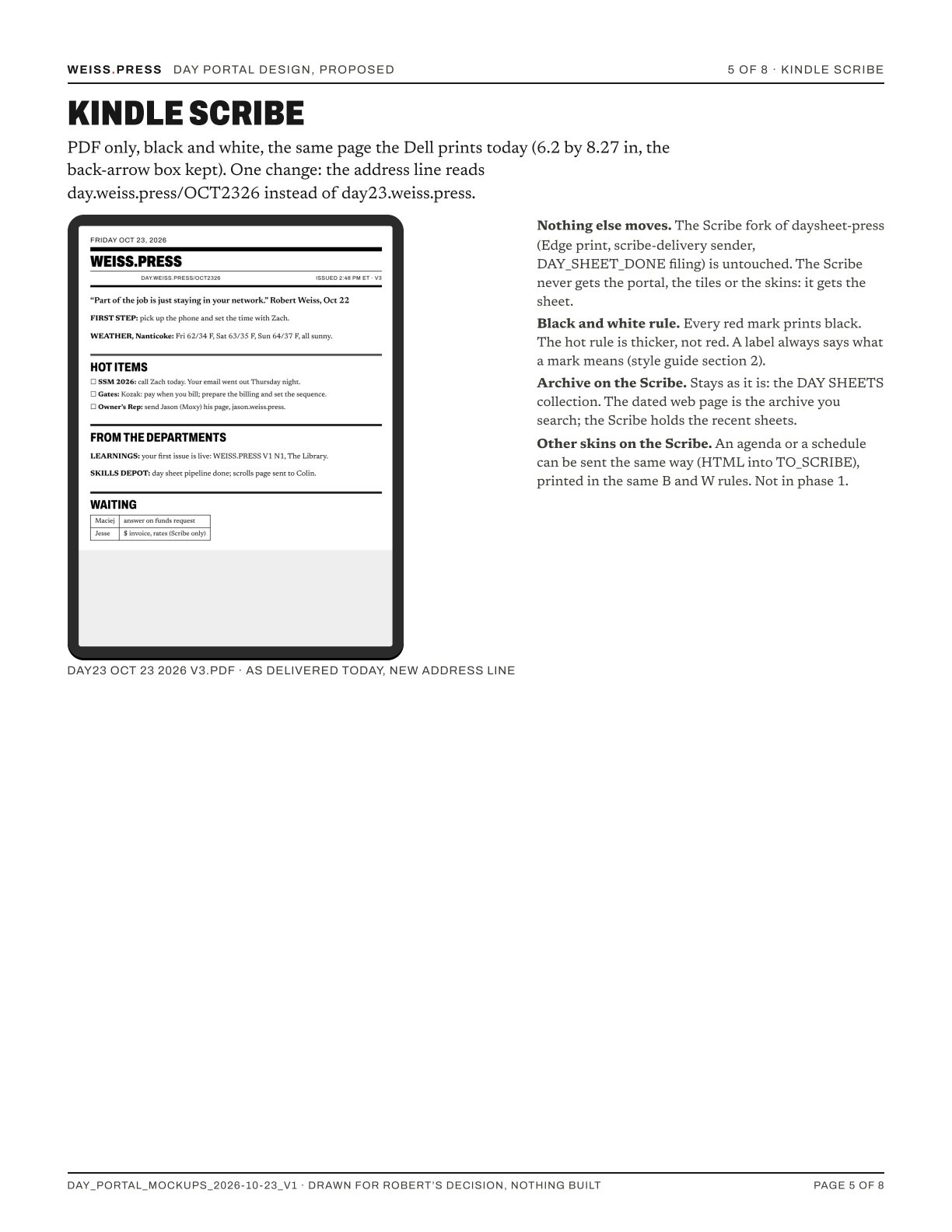
KINDLE SCRIBE
THE SKINS
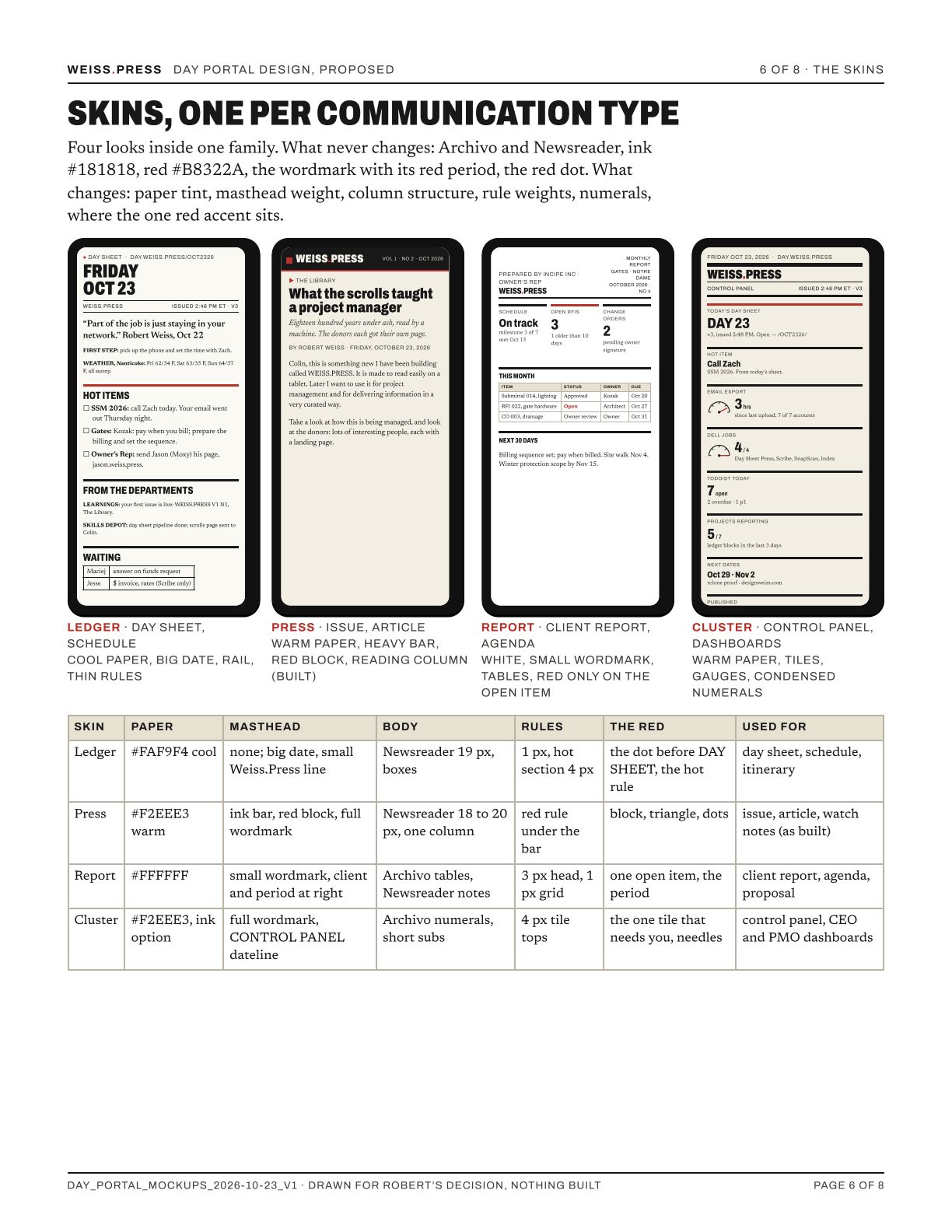
What never changes in any skin: Archivo and Newsreader, ink, the one red, the wordmark with its red period, the red dot, no tagline. What a skin may change: paper tint, masthead weight, column structure, rule weights, numerals, and where the one red accent sits.
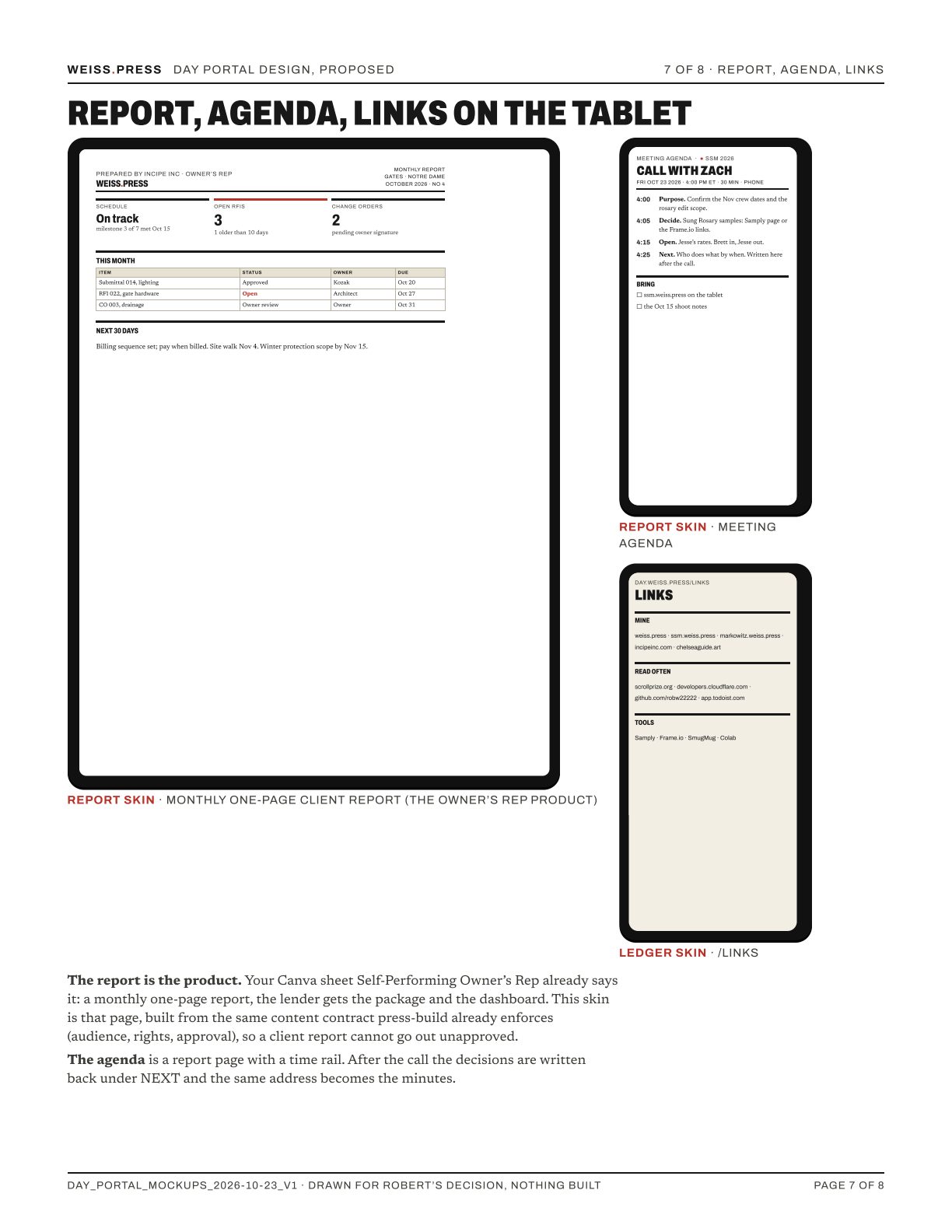
REPORT, AGENDA, LINKS
WHO GETS WHAT, AND THE PHASES
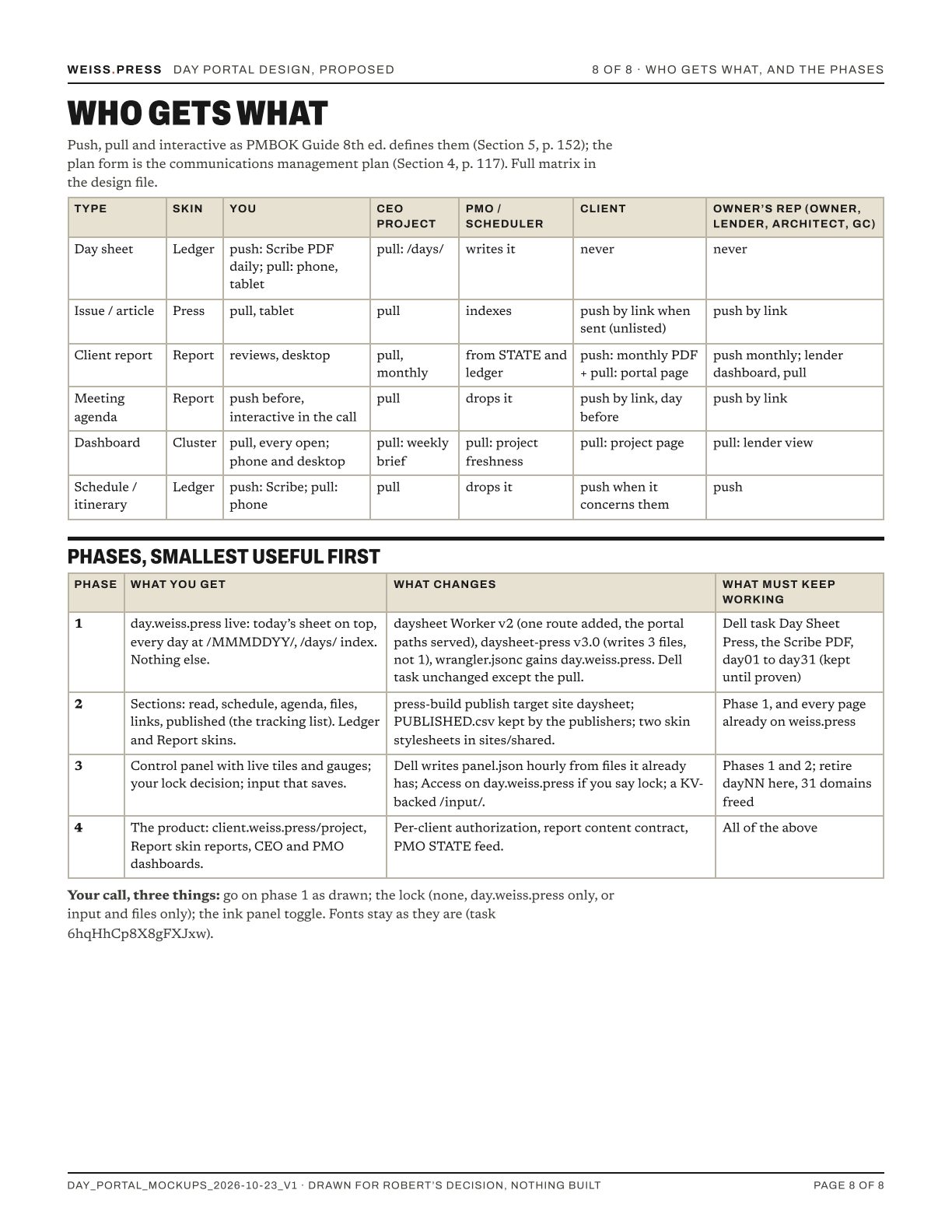
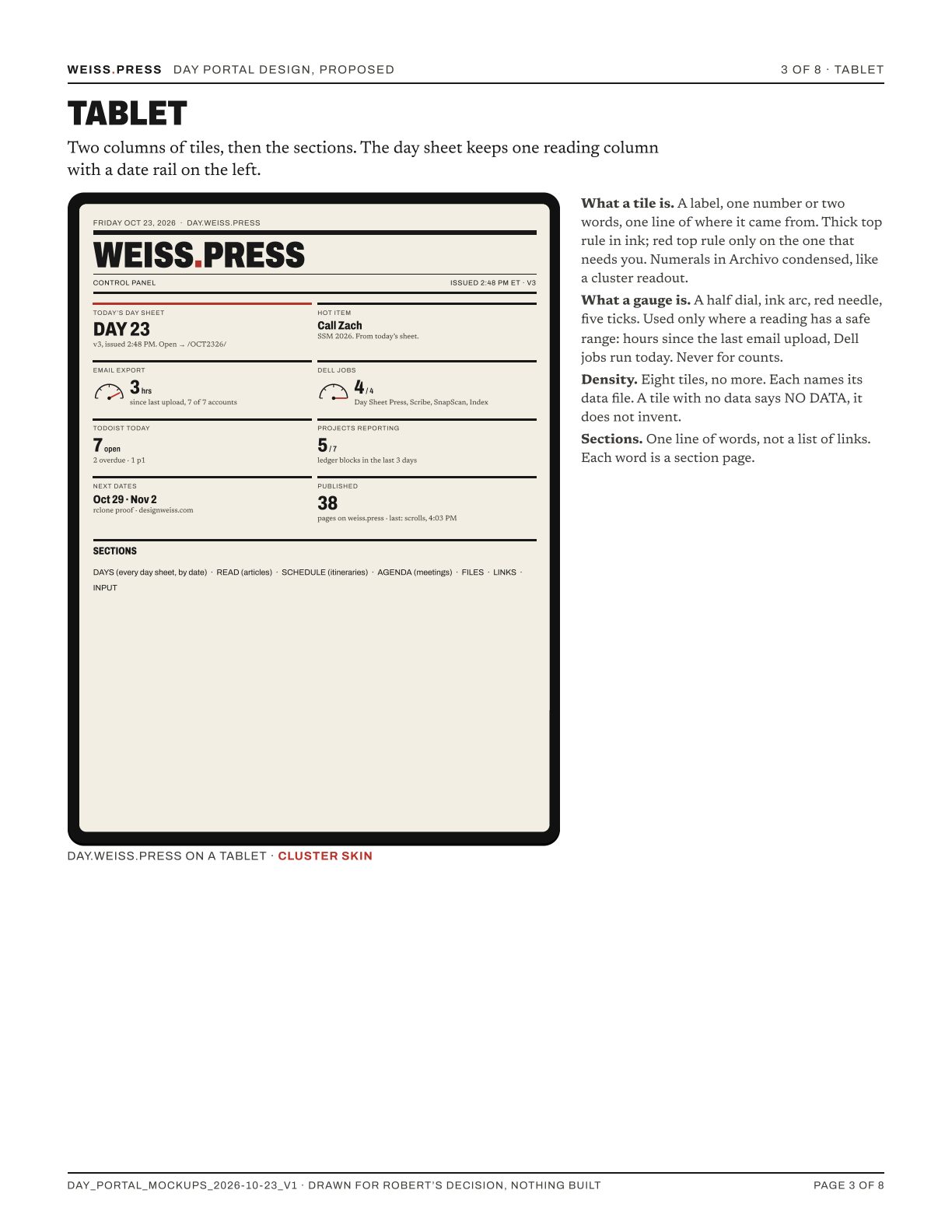
Phase 1 is the smallest piece: day.weiss.press live with today's sheet on top, every day at /OCT2326/, and a list of days. No tiles, no sections, no new skins. The Dell task Day Sheet Press, the Scribe PDF and day23.weiss.press keep working throughout.
THE DASH SKIN, ADDED 6:20 PM
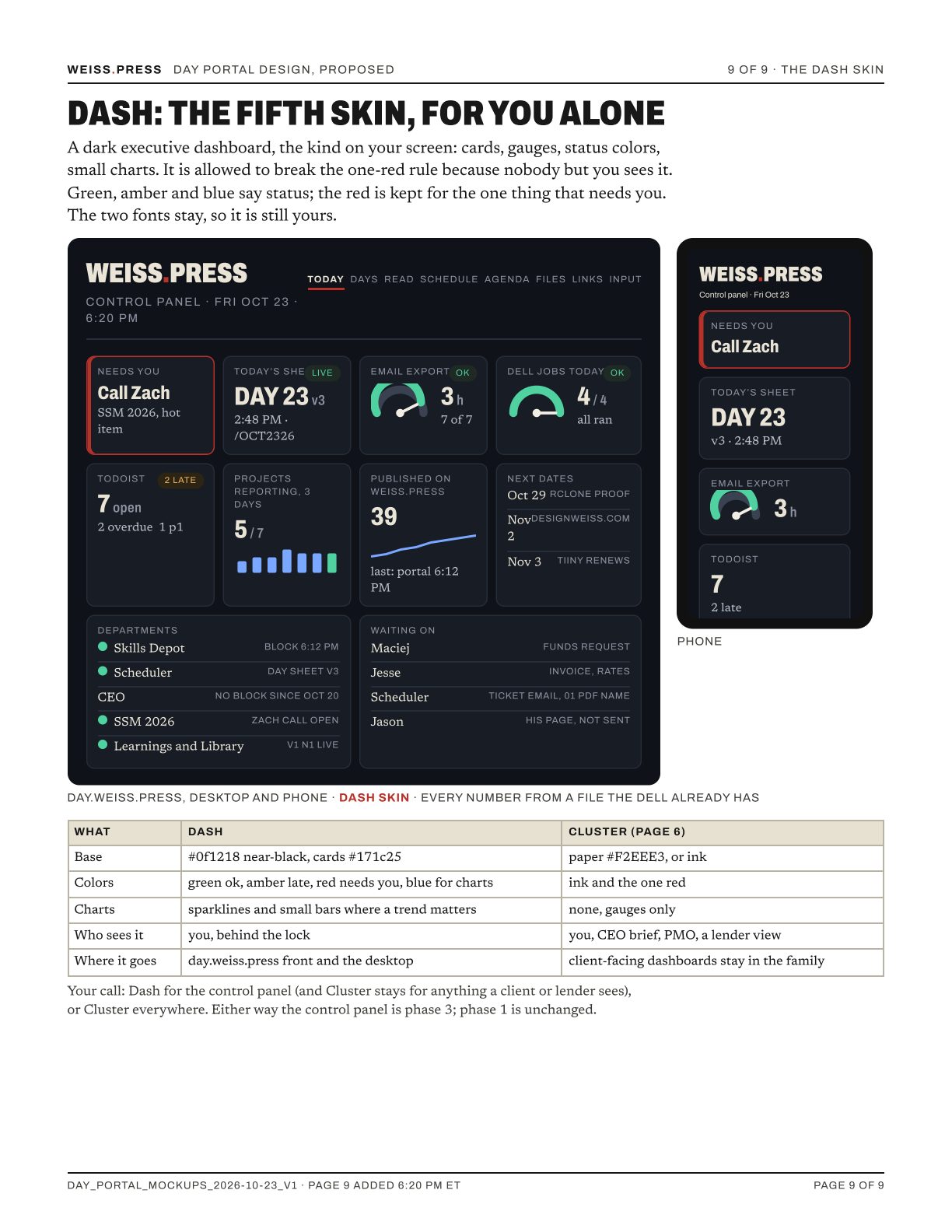
The first four skins kept every page inside the WEISS.PRESS rules, two fonts and one red, so the dashboards on your screen were not drawn. The control panel is yours alone and behind the lock, so it may break that rule. Your call: Dash for the control panel, with Cluster kept for anything a client or lender sees, or Cluster everywhere. The panel is phase 3 either way.
YOUR CALL
- Phase 1. Go as drawn, or say what to change.
- Lock. day.weiss.press locked, you only. Decided 6:03 PM ET. Phase 1 ships open as dayNN is today; the lock goes on in phase 3 with the panel, or sooner if you say.
- Dash. Dash for your control panel, or Cluster everywhere. Page 9.
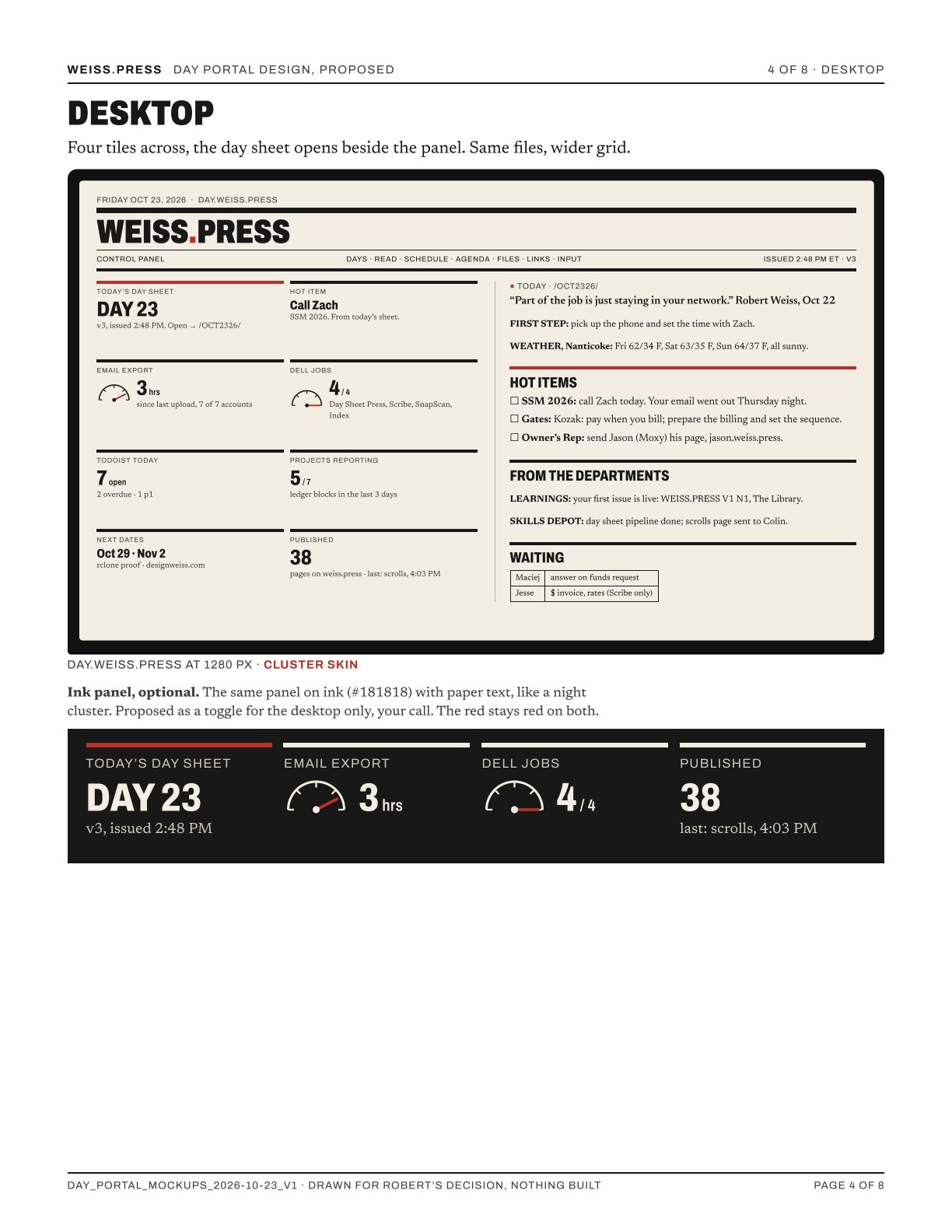
- Ink panel. The black desktop panel, page 4. Yes or no, no hurry; it is not in phase 1.
- Fonts. Unchanged. Task 6hqHhCp8X8gFXJxw stays for later.
Answer in the chat. Then Part II, the build prompt for phase 1, is written and pasted.